
Alfa-Business Assistant
I designed contextual notifications for an AI assistant, helping business owners act on important invoices and discover useful banking services without searching through the app.
- My role
- Product designer
- Scope
- Independent concept · Notifications and action flows
My contribution
I worked independently on the information structure, navigation flow and UI: the home-screen notification, its appearance in another section and the destination screen.
The challenge
From notification to action
A notification should explain what needs attention and offer a clear next step: review an invoice, proceed to payment or explore a suggested service.
Across app sections
That path needed to work both on the home screen and while the user was in another section.
Understanding the task
Help business owners move directly from a contextual notification to invoice payment or a useful banking service.
User goal
Understand the message and choose the next step: review or pay an invoice, or learn about and connect a service.
Product goal
Make the assistant useful at the moment a business event needs attention: connect the notification to a specific action, not just another message.
Starting point
The brief covered the home screen, another app section and the notification’s destination. I explored invoice reminders and a card-payment service suggestion.
Design criteria
- Make the message and its key details easy to scan.
- Offer clear routes to details, payment or service setup.
- Keep the assistant recognisable across app sections.
- Let the user review the information and choose whether to proceed.
Design decisions
On the home screen
Key details at a glance
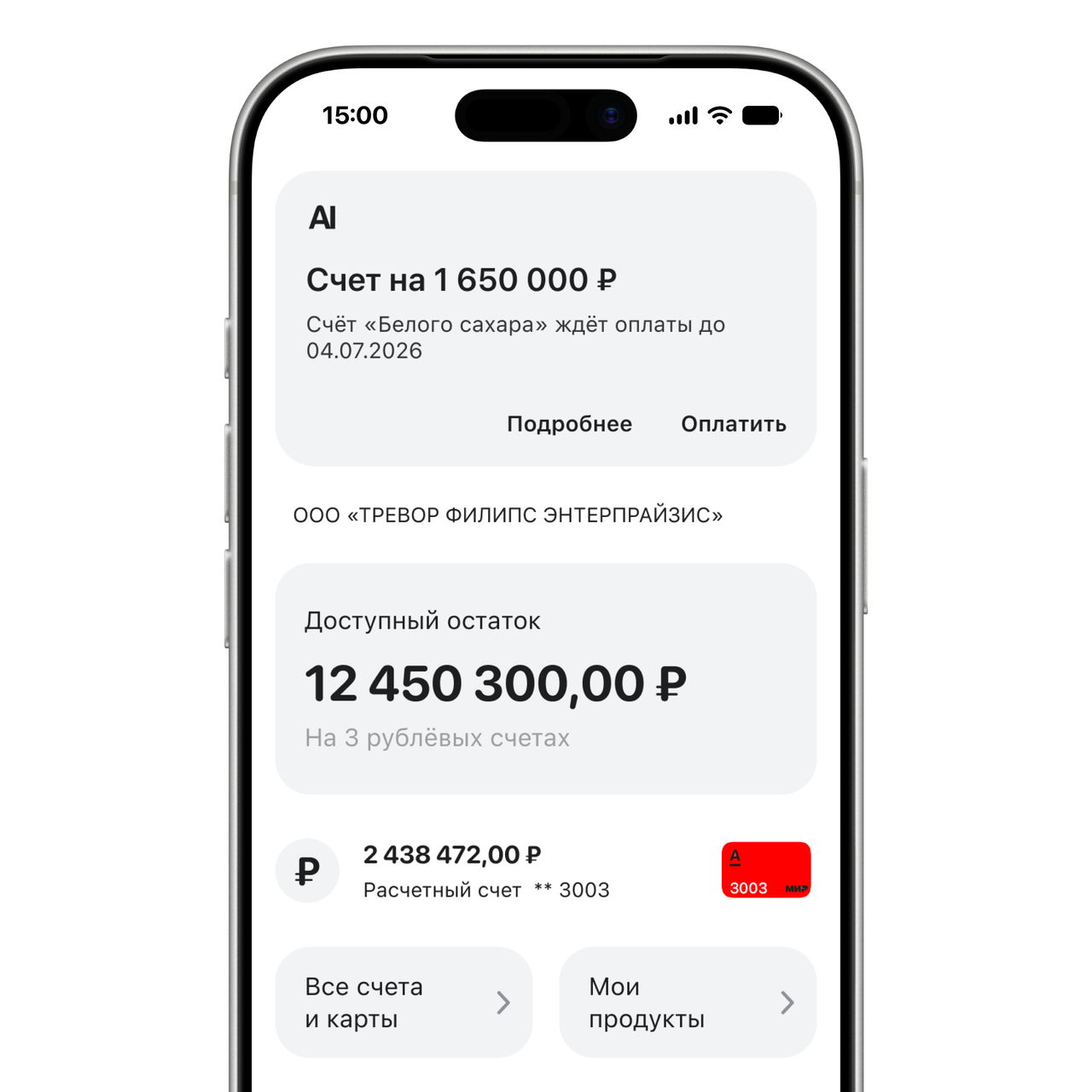
I put the supplier, amount and due date in the card so the user can assess the invoice before opening it.
Two clear actions
I separated Details and Pay, giving the user a choice between reviewing the information and going straight to the payment flow.
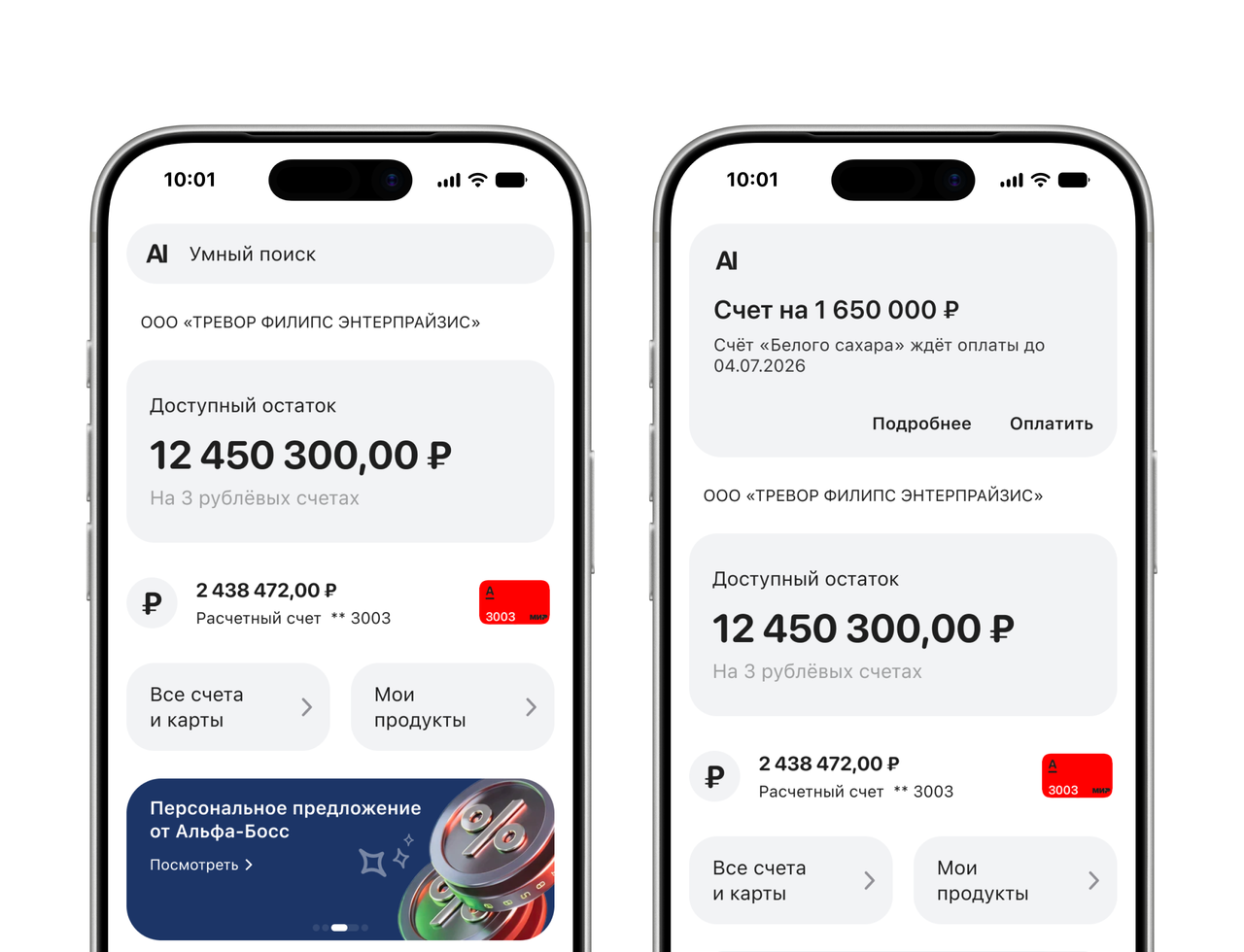
The pair shows the compact smart-search state and the expanded notification state within the same home screen.
Beyond invoices
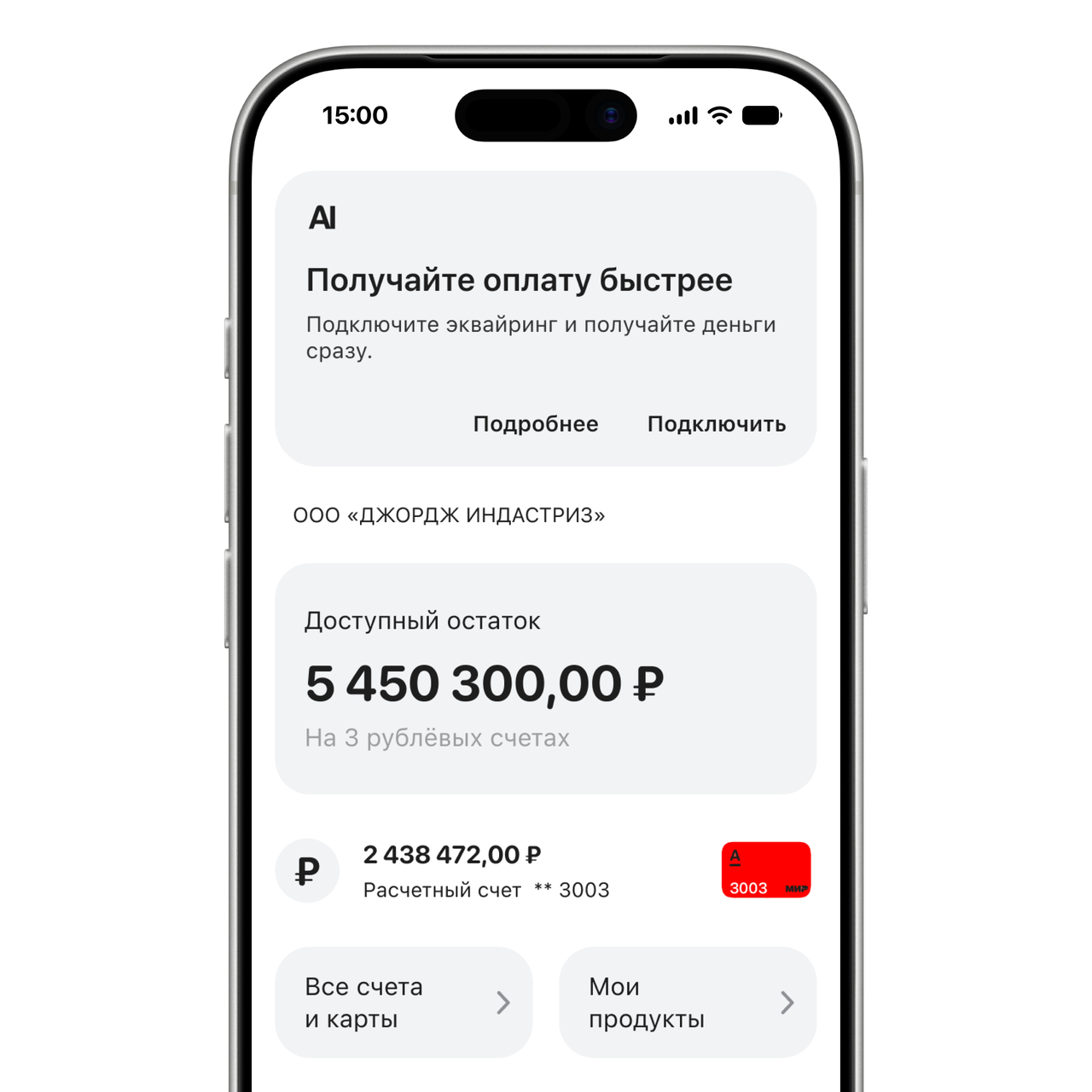
I used the same card structure for a service suggestion. Here, the assistant offers card-payment acceptance, with separate actions to learn more or connect the service.
In another app section
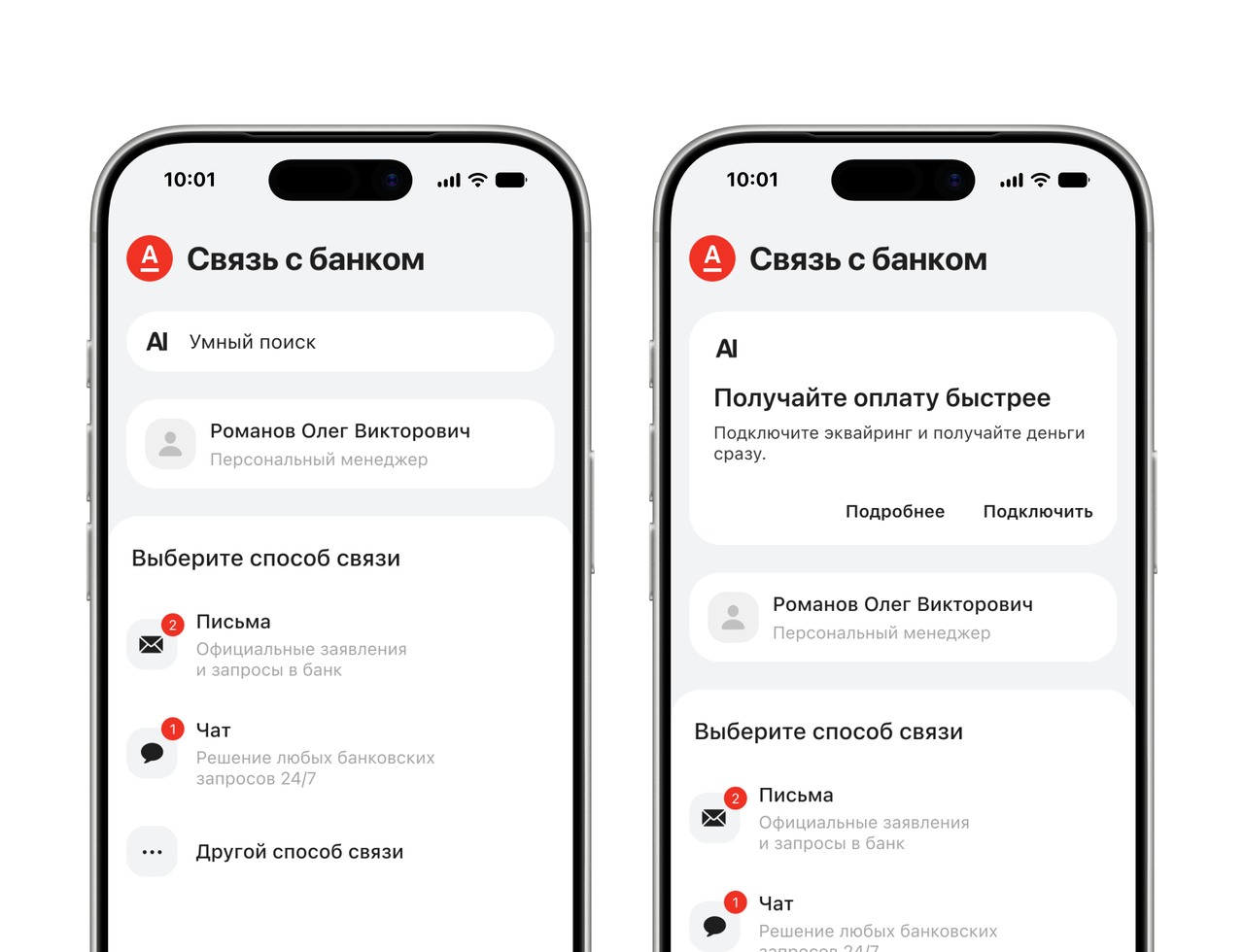
I carried the same pattern into Contact the bank. The service suggestion appears above the existing contact options, without requiring a return to the home screen.
After tapping the notification
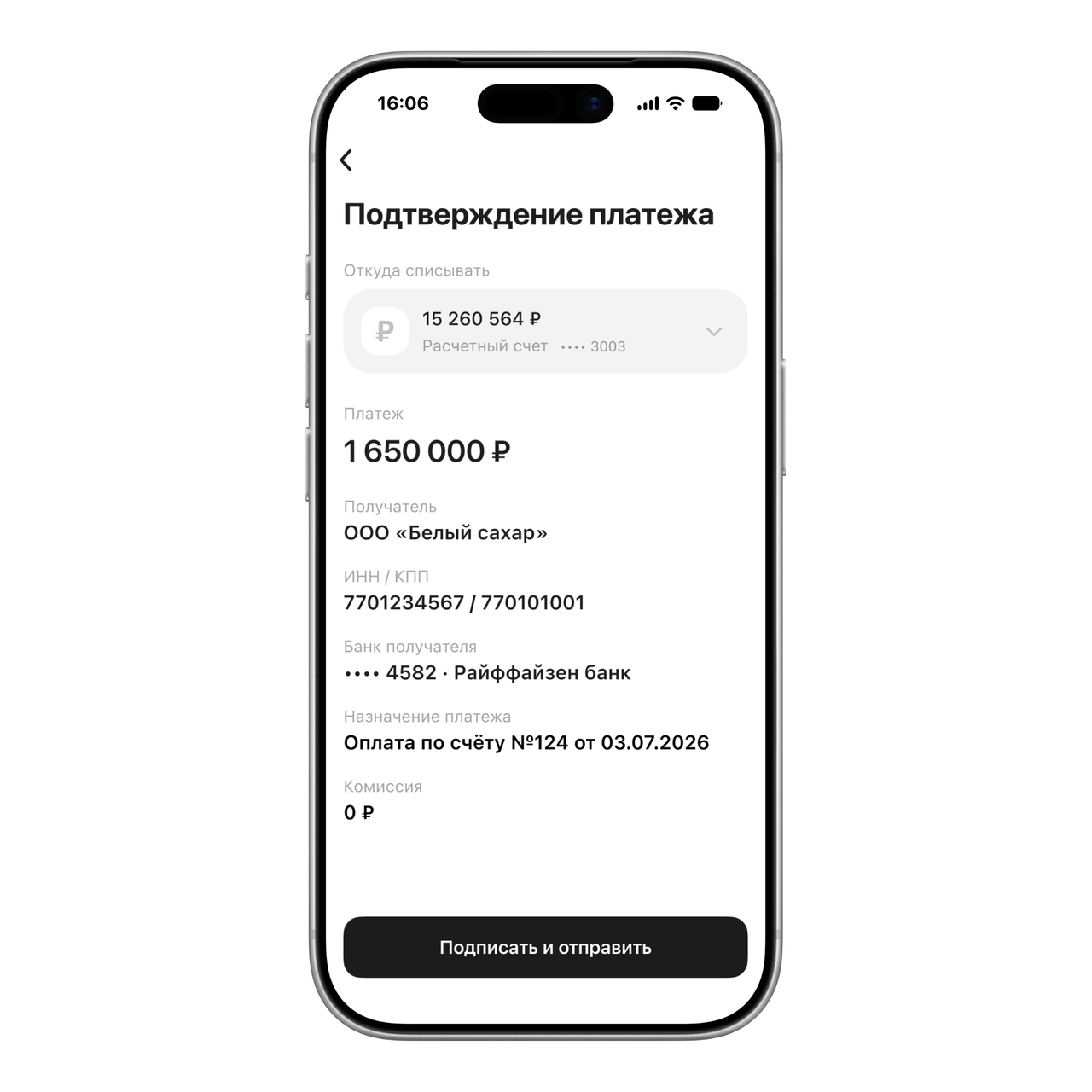
I carried the invoice context into payment confirmation. The user can check the paying account, amount, recipient and bank details before choosing Sign and send. Opening the notification does not confirm the payment.
Final design
Contextual prompts, clear actions
The concept uses a consistent assistant card for invoice reminders and service suggestions, with clear actions on the home screen and in another section.